Last time I talked about how I use jj for small code changes while being interrupted all the time as a manager. This time we’ll be using it in anger.
Open Sourcing a Project#
I’ve been long overdue to open source my little side project Cuppings. This is always annoying because pretty much every project will have a bunch of sensitive stuff checked in at some point. In this case the repository contains a Google Maps API key (as well as the entire database, but that’s a different story) which is something I definitely do not want to share with the internet 1.
The core problem is that cloud costs cannot be effectively limited on any platform. This seems to be a deliberate profit maximising move from the platforms more than because of any technical limitation. Standard operating procedure here is to rotate the key and call it a day. I wanted to be a bit more thorough than that.
What I’m doing is this:
- Delete the API key from the account.
- Detach my personal credit card from the Google Cloud project. - It turns out that this is impossible.
- Scrub the secret out of the repo and its entire history.
- Get rid of any branches that may still have the secret. - Pretty easy because I don’t use branches on my own projects.
The account management steps are easy and boring. Let’s get to the secret scrubbing.
Scrubbing the Secret#
Classically you would do this with git-filter-branch and that’s always a bit annoying because it only works on entire files. Here, the secret had spread through the project and I wanted to leave the other bits of code intact. It looked like jj should be suited for the job.
I started off reading the docs and trying to piece together a sequence of actions that could work.
False Starts#
There were some false starts and I couldn’t get out of them so I threw the repo checkout away and started again. For all the praise that the jj op log gets I have so far never been able to use it to get myself out of a mess.
One thing that may be helpful in the future is to use jj op abandon instead of jj op undo. Undo adds another operation to the oplog which I find confusing. Often you just want to entirely get rid of the last things that you did.
Another issue that I had was that any editor watching the folder would run a language server and if anywhere during our trip through history the correct .gitignore wasn’t in place, jj would start snapshotting all the build files while in the middle of this very delicate operation.
I got around that by disabling the language server entirely like here with a setting for Helix.
Finding the Right Starting Point#
What really made a difference here is jj’s revset syntax with its functions for both filenames and changed text:
jj log -r 'files("backend/.env")' -p
jj log -r 'diff_contains("GOOGLE_API_KEY=")'
The -p shows the entire patch instead of a short view which is particularly handy to see which change to the .env file added the secret.
Then to have an overview of where I am, I’ll have gg open on the side. For git I can’t do any serious work without gitup and it’s very much the same with jj. The terminal output—however good it is—does not give me the same amount of tangible feeling that a GUI does.
It is possible to manipulate the repository using gg and when it works it’s pretty nifty but I’ve found that mixing operations between the GUI and the command-line is not super reliable and can make gg crash out. That’s why I use gg purely as a viewer and I make all the changes from the command-line.
Rewriting History#
I seem to have missed one occurrence on my last pass because when searching right now I find another occurrence.

Looking at the diff with jj show rkq shows me there’s still an unredacted API key there.
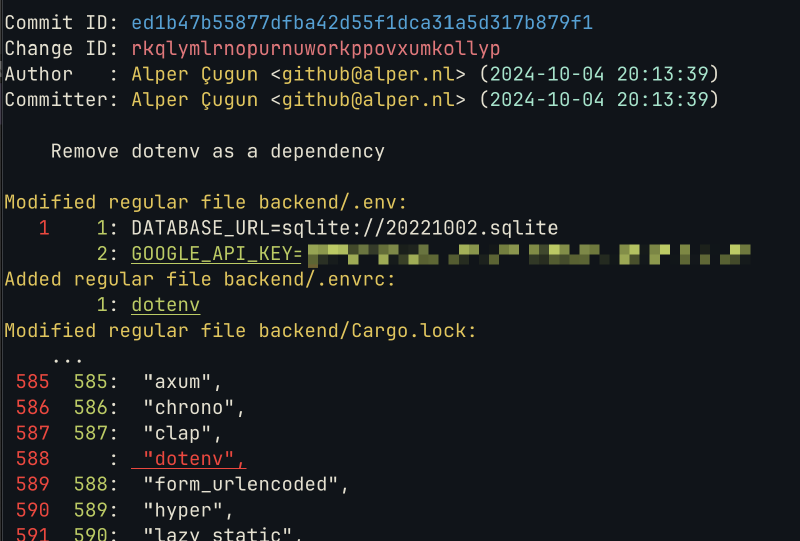
So we might as well clear this as well.
Trying to change this with jj edit rkq throws an error because the change is immutable. Anything that has a descendent in immutable_heads() is immutable. This is a safety setting to make sure you don’t accidentally rewrite shared history.
Our history is not shared because this is my private side project, so we can do whatever we want. With jj edit rkq --ignore-immutable it is possible to edit this history as well. I replace the API key with the word “fake”.
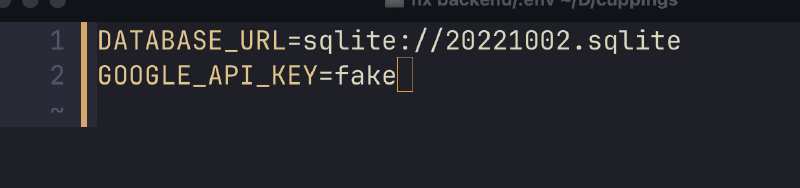
That works and propagates the change through history but it also creates conflicts.
Fixing Conflicts#
My view in gg looks like this now:
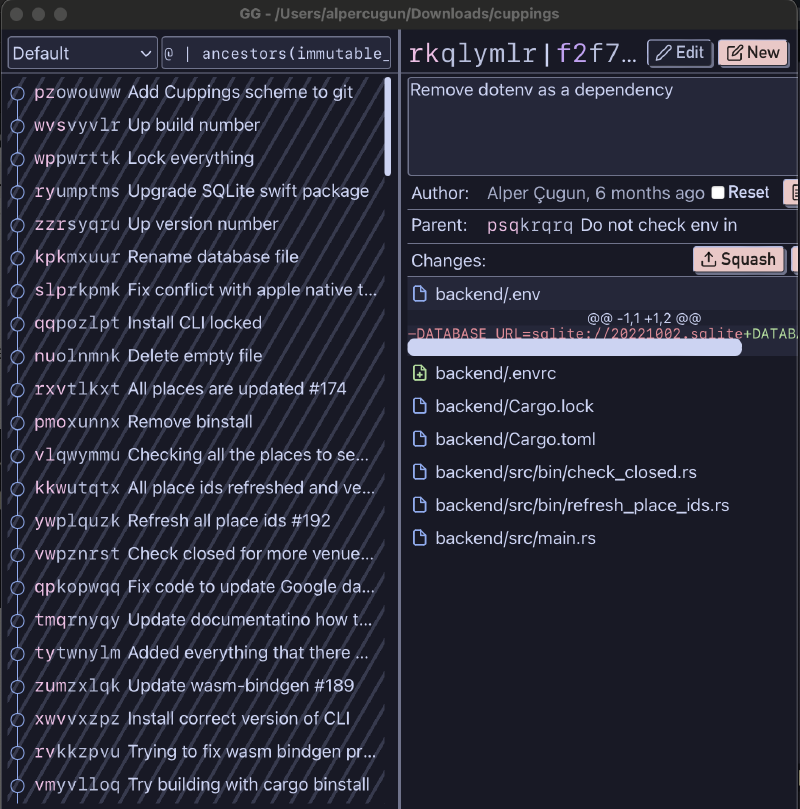
The command-line looks similar if you know what to look for (the red crosses).
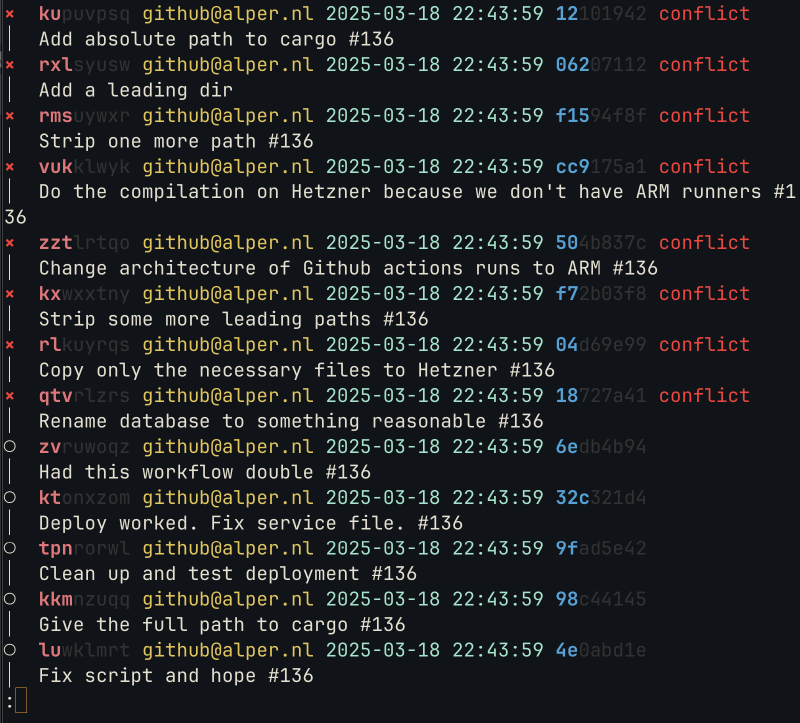
How I go through this is to scroll down in gg to find the first occurrence of the conflict. The change has propagated to that point where it conflicted again and needs to be fixed. That’s here.
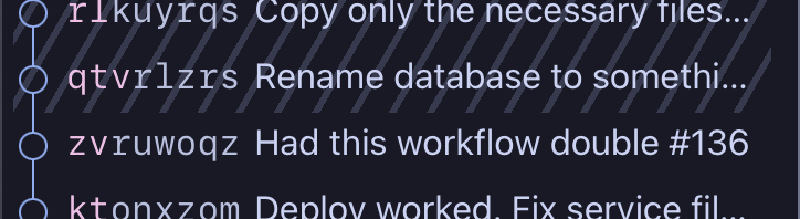
From there I edit the first conflicted change with jj edit qtv to fix it. The edit command helpfully immediately prints out which files are conflicted at this point.
It’s the .env file again and it looks like this.
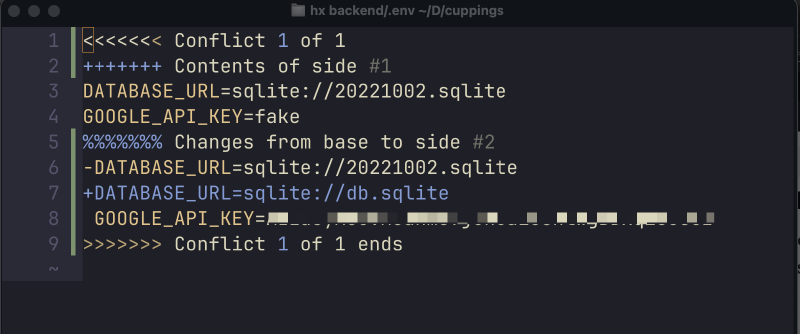
This is pretty quick to fix with Helix. Delete all the lines which shouldn’t be there, pick the ones you want to have and remove all conflict markers.
We don’t have to add anything after fixing the conflict or do something like git rebase --continue because jj picks the new state up automatically, sees the conflict is gone and propagates that up.
This clears up a bunch of the commits and we scroll up to find the next one. After doing that a couple of times the entire history is conflict free.
Push it back#
Now the only thing left is to check we didn’t destroy anything and to push the bookmark back to the forge with jj bookmark move main --to @ and jj git push -b main.
You can garbage collect things before if you want to make sure the changes are no longer there jj util gc.
After completing this operation I seem to have lost the position of some WIP branches I had on the old tree, but as this is a side project I can live with that. I’m curious if it would have been possible to keep these.
Feedback#
I wrote this in part from memory after having done other things for a few weeks so I may have gotten some points wrong but all in all this should roughly work. Any suggestions or additions are welcome.
Update: One addition is that this will remove the change from git history but the strings will likely still be in the op log and evolog. Whether they are truly gone from any git housekeeping files is also not completely verified.
Github may have an integration with Google for this so the API key may be disabled as soon as the repo is public anyway, but who knows. ↩︎